Work Orders

From copy-paste to one tap.

A phone app for my service team.

See the app
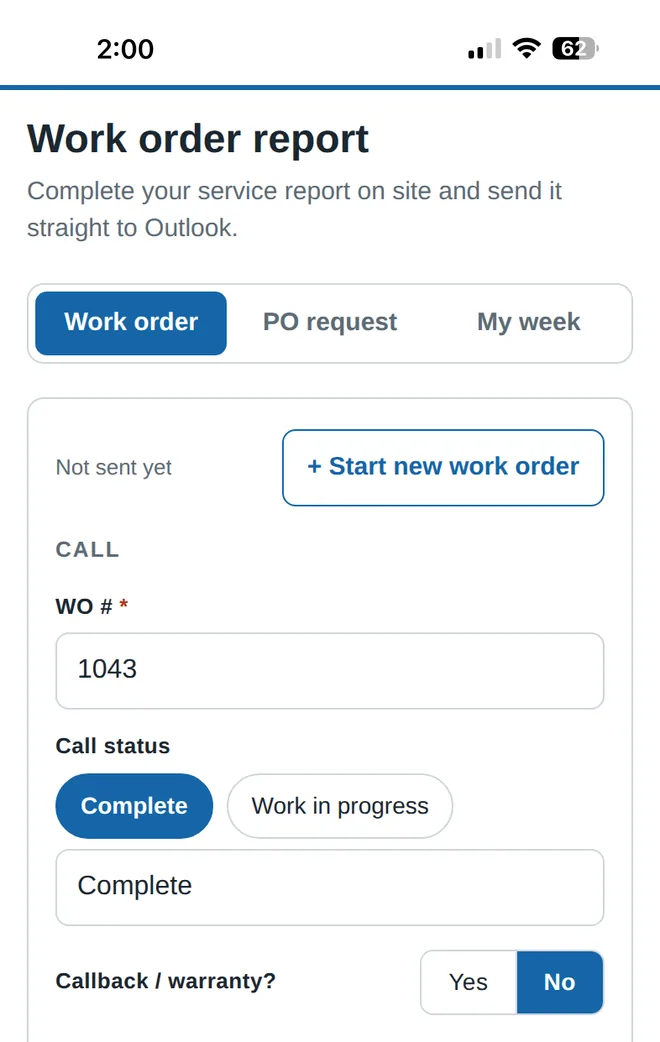
Work order report screen with the job number, call status and callback or warranty fields

A phone app I designed for my service team at System Service & Engineering and built with Claude. Not open to the public.

  • Tap, don't type.
  • Checks before it sends.
  • Straight to Outlook.
  • Built in about 2 weeks
  • Used by me and a few coworkers
  • iPhone home screen app

The same template, typed by hand, every call.

At the end of every call I copied our plain-text work order template from my notes into Outlook, then clicked into each line and typed it in. Every single time. It wasted time, lines got missed, and keeping track of my jobs and hours for the week was a separate chore.
The template, turned into an app.

It keeps the office's exact template, so nothing changes on their end. The tech just taps instead of types.

What the app does
Tap, don't typeButtons for call status and yes or no questions, a Now button for every time, and it remembers your name.
Checks before it sendsLists any empty field and flags times that don't add up, like arriving before dispatch.
Straight to OutlookOne tap opens a ready-to-send email in the Outlook app, already addressed and filled in.
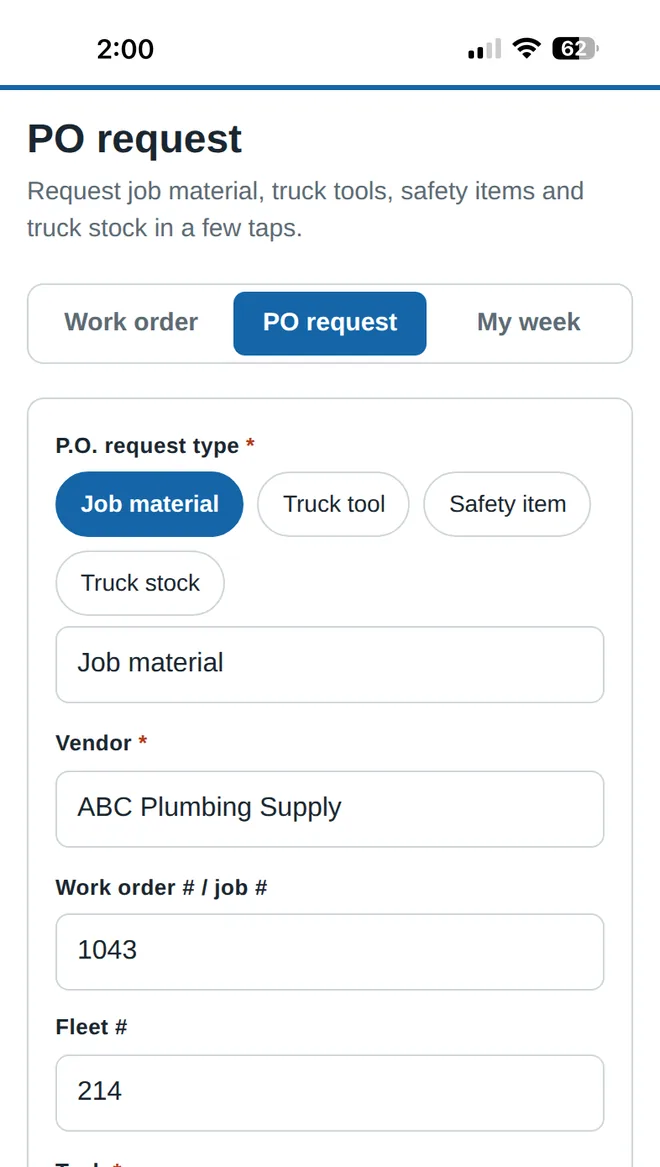
PO requestsJob material, truck tools, safety items or truck stock in a few taps. Vendors and fleet number are remembered.
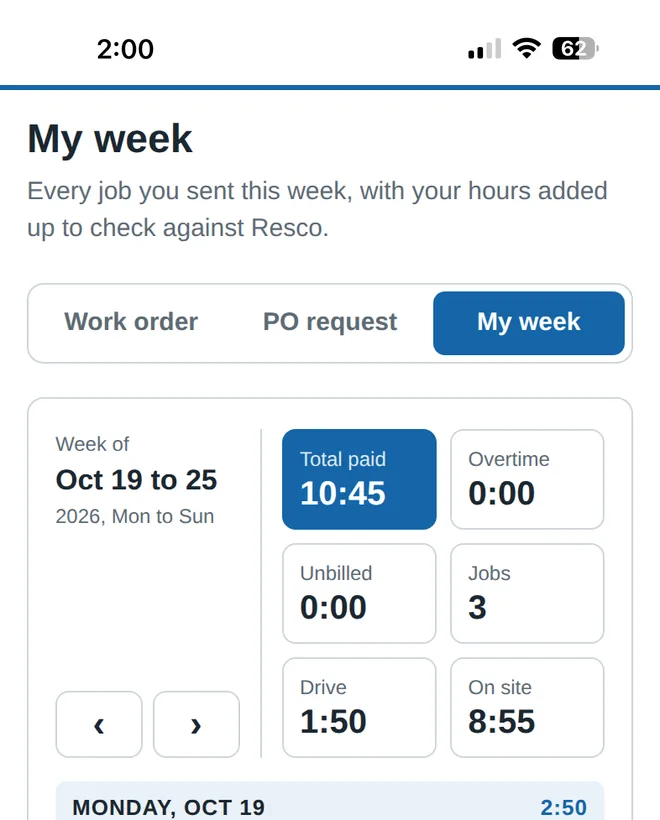
My weekEvery job logs itself. Drive time, on-site time, unbilled time and overtime add up, with a PDF to download.
Never loses a reportDrafts save as you go, so an unfinished report is still there after closing the app.
PO request screen with the request type, vendor, work order number and fleet number filled in
PO requests
My week screen adding up total paid time, overtime, drive time and on-site hours for three jobs
My week

I design. Claude codes.

  1. I designed it. I decided what it should do and how it should look, starting from the template we already use.
  2. Claude wrote the code. I described each change in plain words, and Claude, an AI coding assistant, built it.
  3. I tested every change on my iPhone before it went live.
  4. I used it on my own calls and fixed whatever slowed me down.

Security was part of the plan from day one: the app can only send data where it's supposed to, and every account that controls it uses two-step login.

Report done before I leave the job.

No more copying the template. A report goes from the job site to the office in one tap, empty fields get caught before it's sent, and my hours add up on their own.

Built to grow.

An office log. Each tech's jobs and hours land in a shared Google Sheet, so the office can see the week at a glance.

Secure sign-in for each tech, so only the team can send.