Lookout

Security cameras, on my terms.

Runs at home. Used daily on my iPhone.

See the app
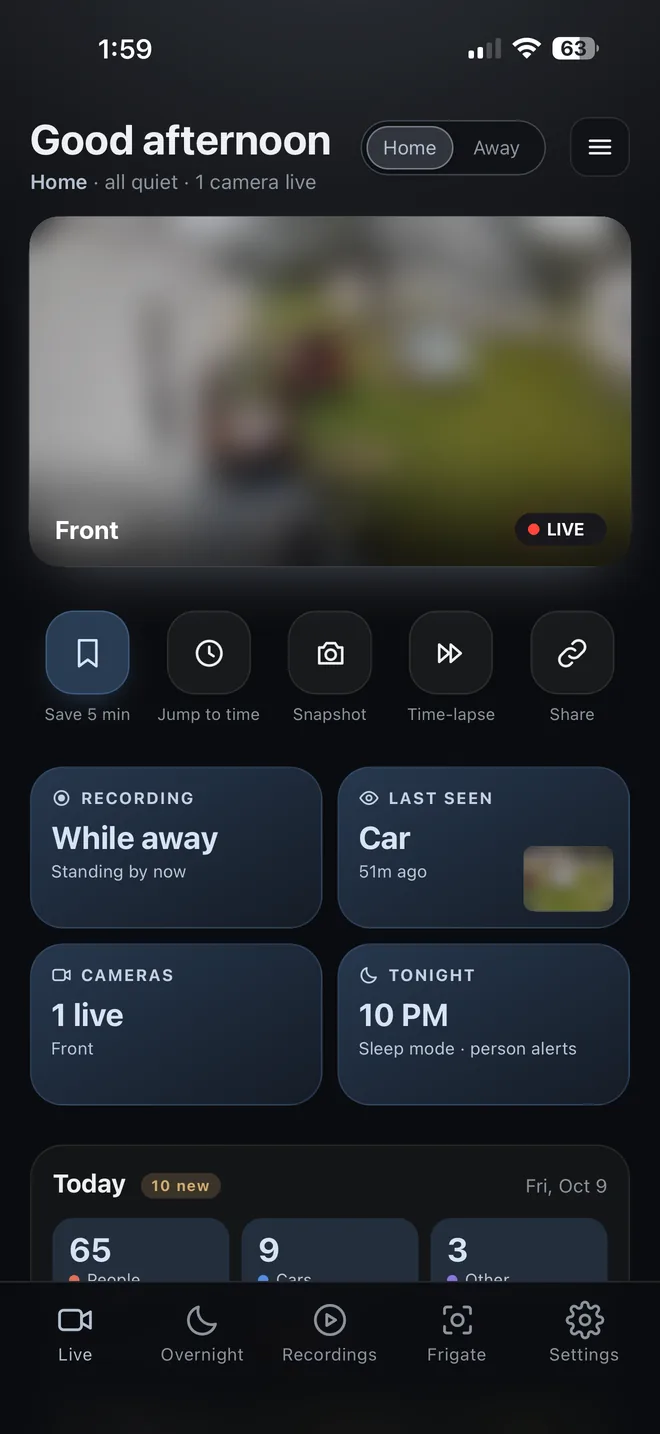
Lookout home screen with a live camera view, quick actions, recording status and today's activity

A home security camera system I designed and built with Claude. It runs on my own computer, and I use it every day from my iPhone.

  • Smart alerts.
  • Easy timeline.
  • Locked down.
  • Built in about 1 month
  • In daily use at my home
  • iPhone home screen app

Pay every month, or settle.

Store-bought camera apps charge a monthly fee to keep your video, store it on their servers, and buzz your phone for every passing car and windy tree. They make the rules, not you. I wanted cameras with no monthly fee, footage that stays private, and alerts that do exactly what I tell them to.
A full camera system, set up my way.

It runs on a computer in my house, so there's no monthly fee and no outside company holding my video.

What Lookout does
Smart alertsAlerts for people or cars only, set for each camera. It checks the weather too, so wind and rain don't set it off.
Easy timelinePick a day, then an hour. Drag along the bar to jump between detections, with a picture of each one as you go.
My storage, my choiceRecordings go to a home server, a local drive or the cloud. Only the clips I pick get uploaded to Google Drive.
Locked downThe app opens with Face ID, using passkeys. Video stays on my own computer unless I choose to upload a clip.
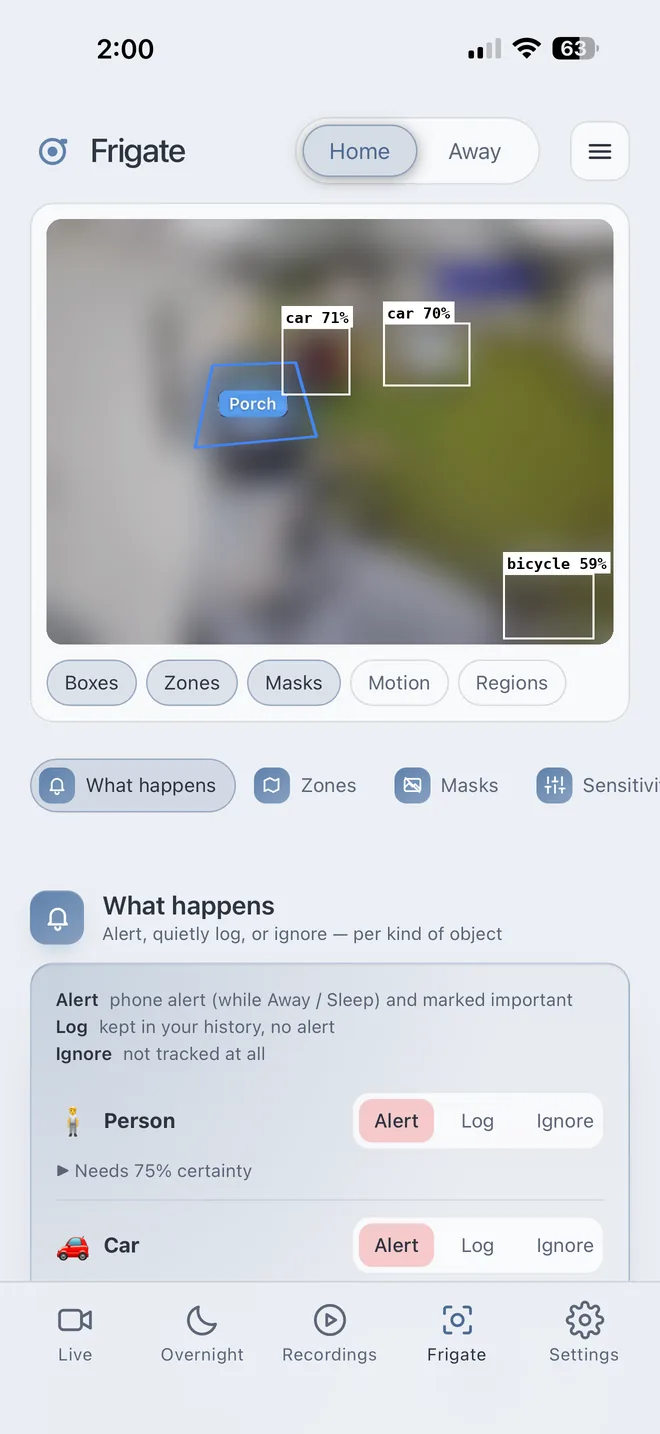
Lookout detection screen showing boxes around cars and a bicycle, a porch zone, and alert settings
Detection and alert settings
Under the hood
PartWhat it does
FrigateOpen-source camera software that spots people and cars in the video.
Python back endHandles alerts, recordings, the timeline and settings.
DockerRuns it all on my Windows PC at home.
Web appRuns on my iPhone, with its own push notifications.

I design. Claude codes.

  1. I decide what it should do. Every feature starts with something I want from my own cameras.
  2. Claude draws mockups. For bigger features, Claude makes two or three designs and I pick one, or mix the best parts.
  3. Claude writes the code. I describe each change in plain words, and Claude, an AI coding assistant, builds and tests it.
  4. I test it on the real cameras before it goes live at home.

Every change is saved in GitHub and goes live only after I approve it.

Only alerts that matter.

My phone buzzes for a person at the door, not a tree in the wind. And when I want to know what happened, the timeline gets me there in a few taps instead of hours of scrolling.

From my house to yours.

iPhone and Android apps. The long-term goal is a product other people can use.

Easy setup, step by step, so anyone can get it running without tech skills.